Hands on an Android phone
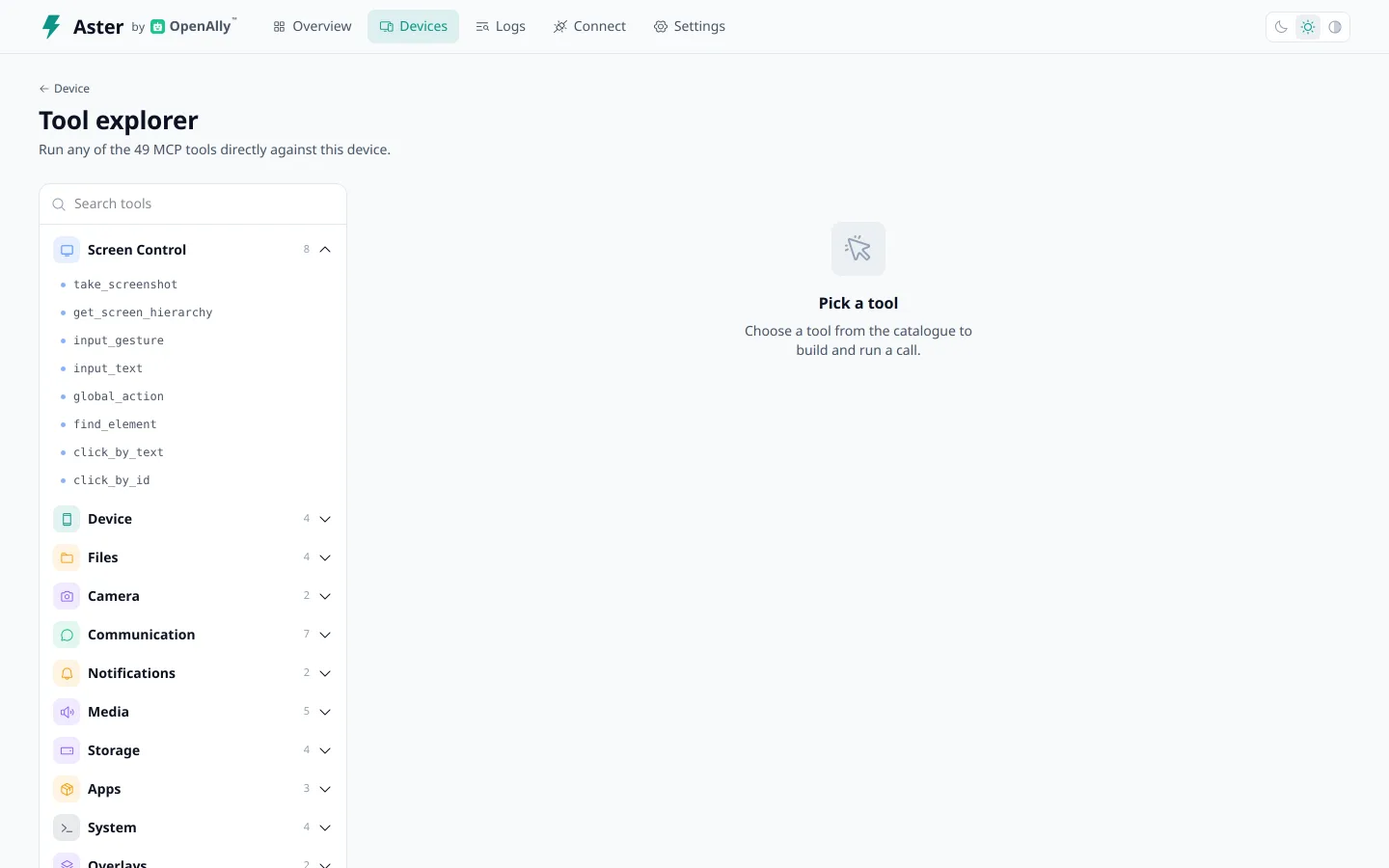
An AI client connects over the Model Context Protocol and calls 49 MCP tools to take screenshots, read the UI tree, tap, swipe and type, read notifications and SMS, and manage files.

An MCP server and Android companion app that gives an AI assistant hands on an Android phone.
Give your AI assistant a way to interact with an Android phone. Aster makes the screen and device tools available through a companion app: inspect what is on screen, tap through a task, or work with calls and messages. Server-paired connections ask for device approval. A stop control on the phone lets you end a session.
 Android
 Releases on GitHubAndroid 8.0 or later (API 26), arm64AsterControl your Android with AI.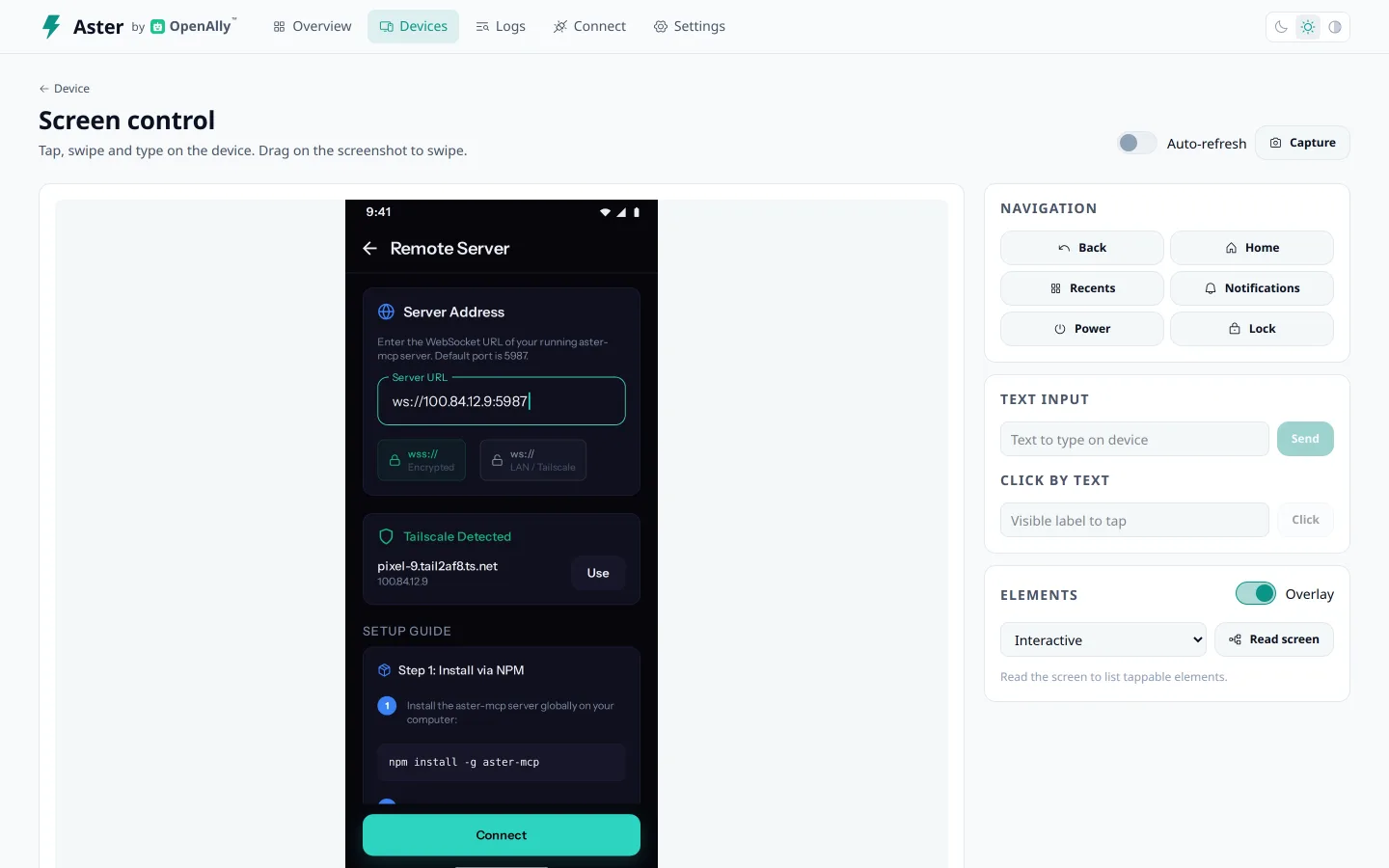
Aster connects an AI assistant to the screen and services of an Android phone. With the permissions you enable, it can inspect the screen, read the interface, tap, type, work with notifications, and access shared files. The companion includes a device dashboard and a live log of tool calls, so you can see what is happening.
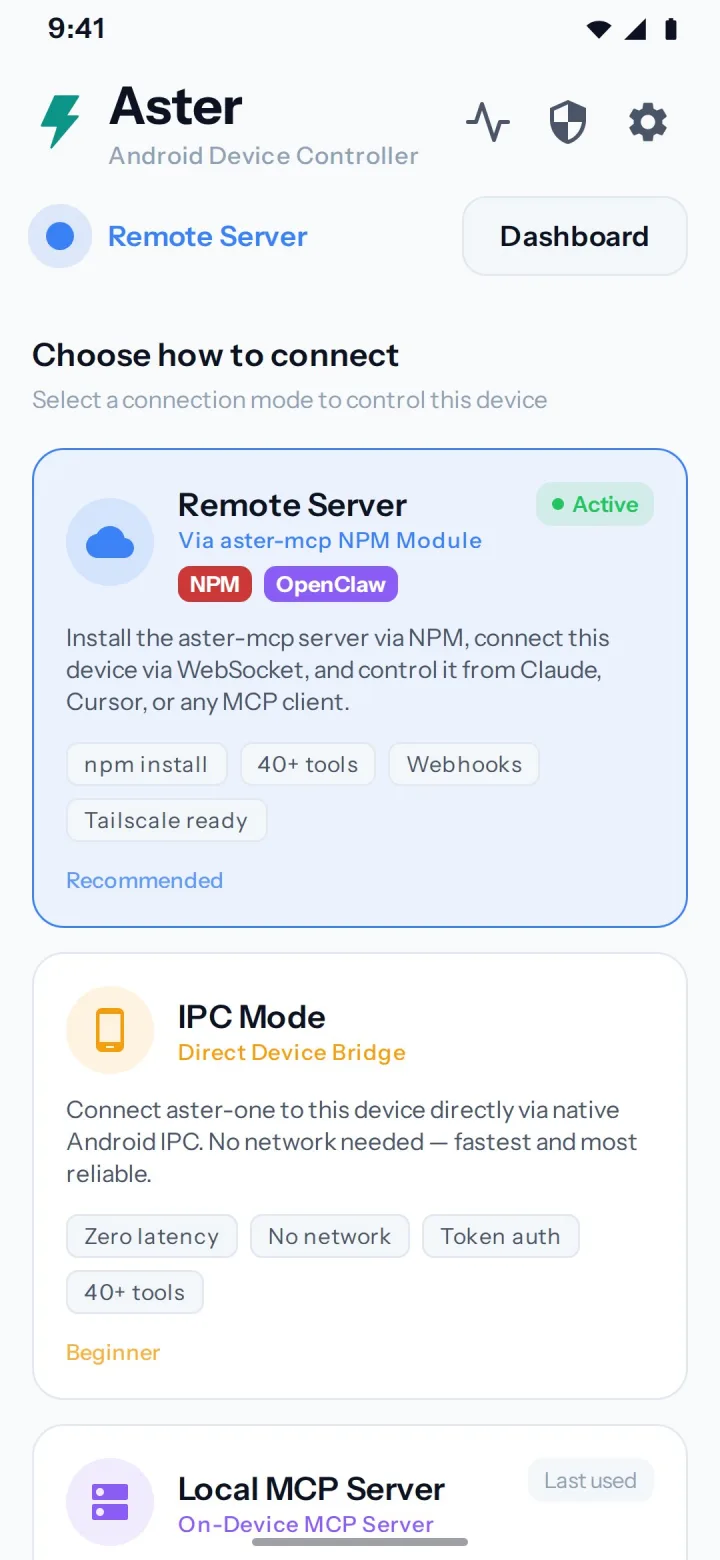
Choose the connection that fits your setup. The phone can serve MCP directly to a client on your local network, or an app on the same phone can connect through Android’s local service interface. The separate desktop server adds device management, an approval gate, and a browser dashboard. OpenAlly™ uses Aster for optional Android App Automations.
Get the signed APK from GitHub Releases. The permission setup explains the access needed for screen control and other device tools.
Connect locally on the phone, use its built-in MCP server, or pair it with the desktop server on a trusted network.
Inspect tool activity in the console, limit shared folders, and use the kill switch to stop screen control.
A companion on the phone and a dashboard for the connection, permissions, and tools.
An AI client connects over the Model Context Protocol and calls 49 MCP tools to take screenshots, read the UI tree, tap, swipe and type, read notifications and SMS, and manage files.
On the Aster server, a new device can run no command until you approve it. While an AI controls the screen, a kill-switch notification stays up, and a package guard blocks control of banking apps by default.
The AI can read and list only the folders you share, and shell commands run in the app's own sandbox, without root.
Aster is open source under the MIT license.
Android 8.0 or later (API 26) on an arm64 phone, with the Accessibility Service turned on. No root required.
As a signed APK from GitHub Releases, sideloaded onto the phone. Aster is not on Google Play.
No. Aster is optional, and OpenAlly works without it. App Automations in OpenAlly are Android-only and need Aster.
The Aster server runs on a computer you control and keeps its devices, logs and device registry in a local SQLite file.
Your browser, with a little help from Taffy.
Desktop effects that follow your lid, and live wallpapers with something going on.
Rent receipts, fuel bills and salary slips, generated in seconds.