Taalcut

Turns a reel you love into a template, then makes your version from your own camera roll.

Paste a reel you saved and point Taalcut at your footage. It reads the reel’s cuts and music beats, picks a clip from your camera roll for each part, and makes your version for you to approve. It runs on your Mac, with its own models or the AI account you choose.

Availability

macOS
Releases on GitHubDownload for MacmacOS 14 or later, Apple silicon
TaalcutMake the reel you saved.
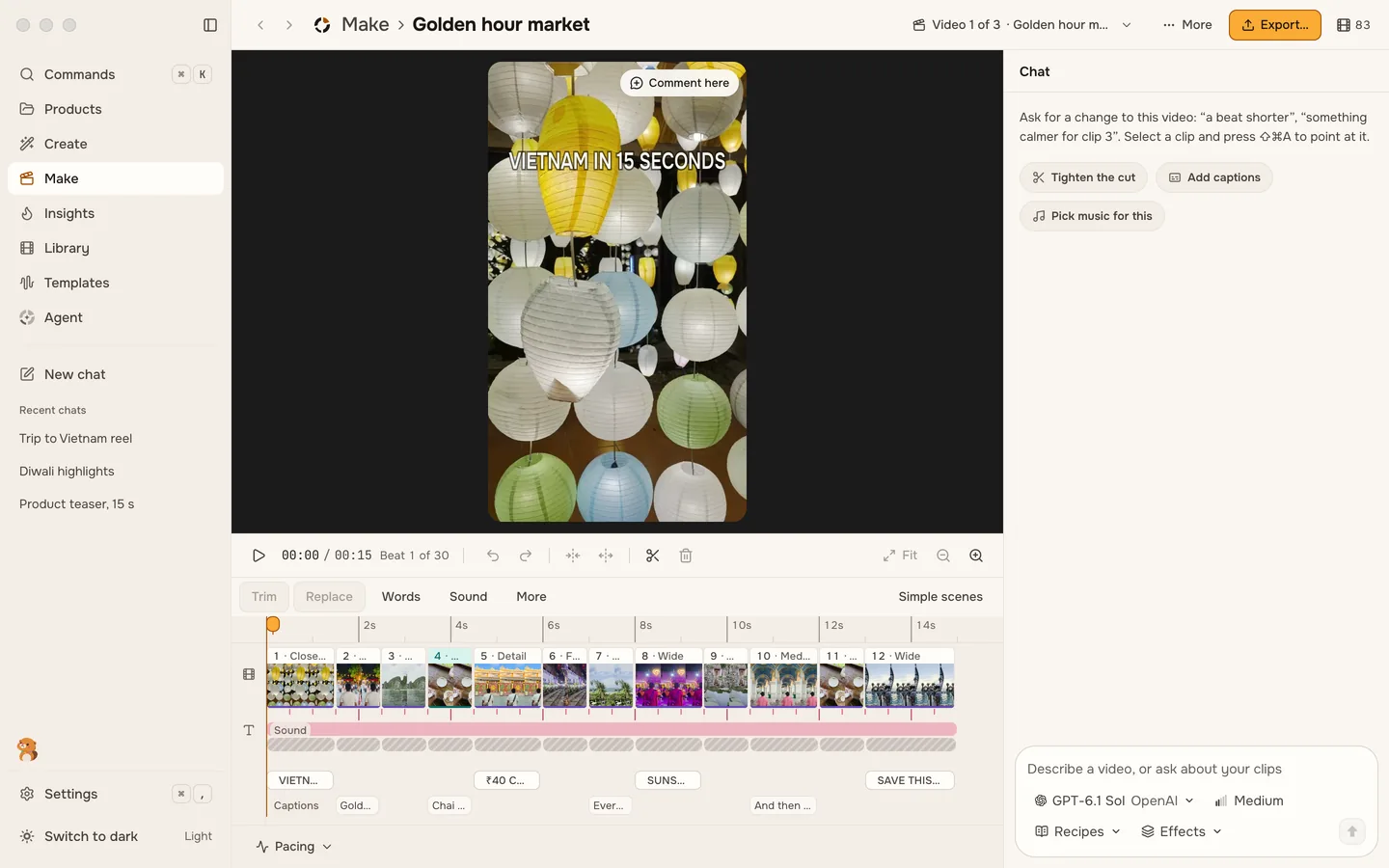
The Taalcut editor on Mac: a portrait preview above a timeline of clips, with a chat panel, shown with sample mediaA demonstration reel’s cover, with lanterns over a street at night
About the product

Make the reel you saved

Taalcut is an AI video editor for short videos. Paste a reel you like and point it at your footage. It breaks the reel into its beats and cuts, picks the clips from your camera roll that fit each part, and makes your version. You approve it once and export.

Every reel it reads becomes a template you keep, with its slots, music beats and text timing, so you can fill it again with new footage. Your clips are indexed on your Mac, where Taalcut runs its own models. A ChatGPT plan, an API key or a model server you already run adds other models when you want them.

  1. Paste a reel

    Use a link from Instagram Reels, YouTube Shorts or TikTok, or drop in a video file. Taalcut reads its cuts, music beats and on-screen text.

  2. Let it pick

    It chooses a clip from your own footage for each slot and shows how sure it is. Swap any pick for another shot.

  3. Approve and export

    Watch your version beside the reel, change what you like on the timeline, and export it sized for Reels, Shorts and TikTok.

From a saved reel to your own cut

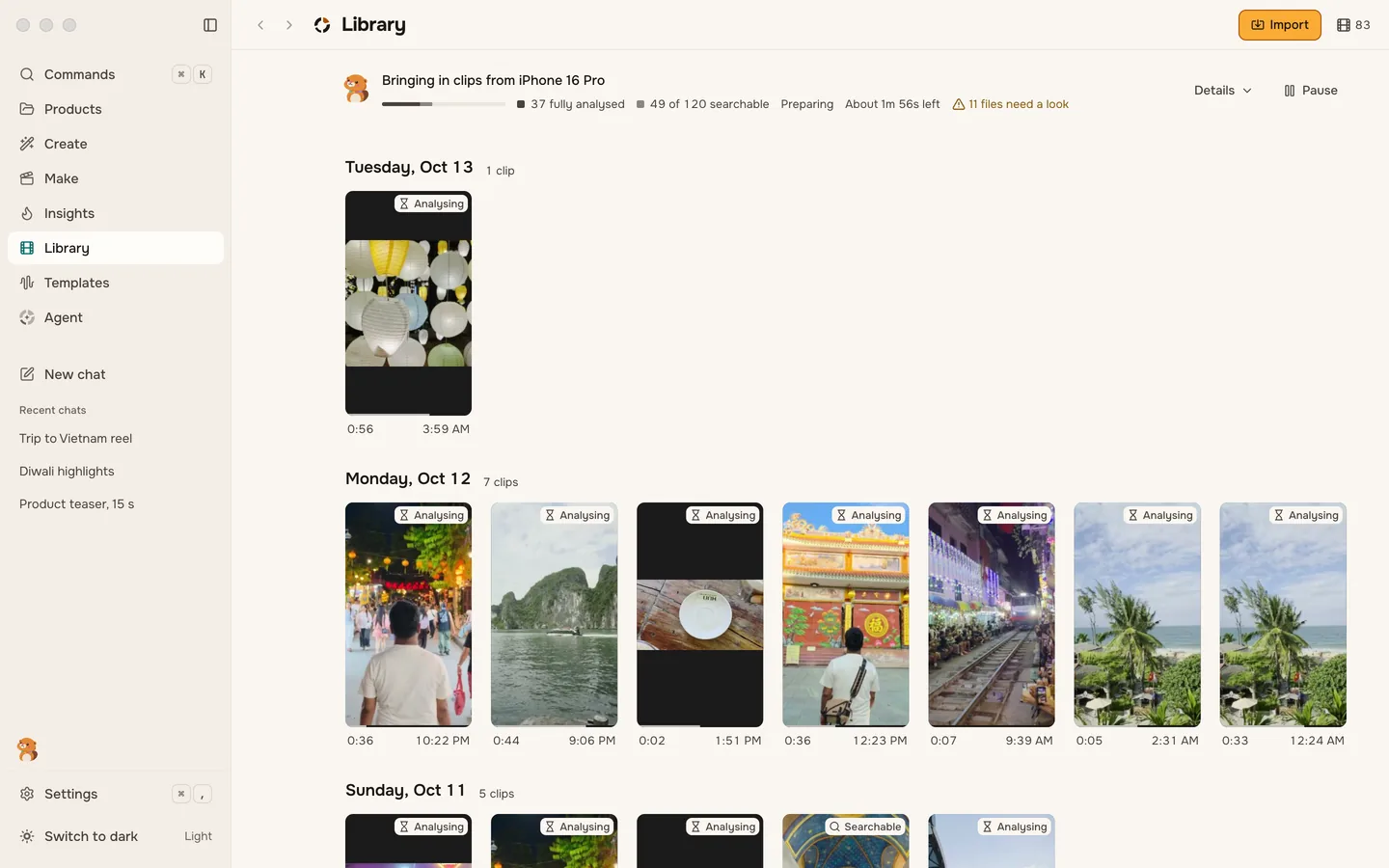
The app's own screens, shown with sample media: a reel read into a template, your clips, and the cut you can keep changing.

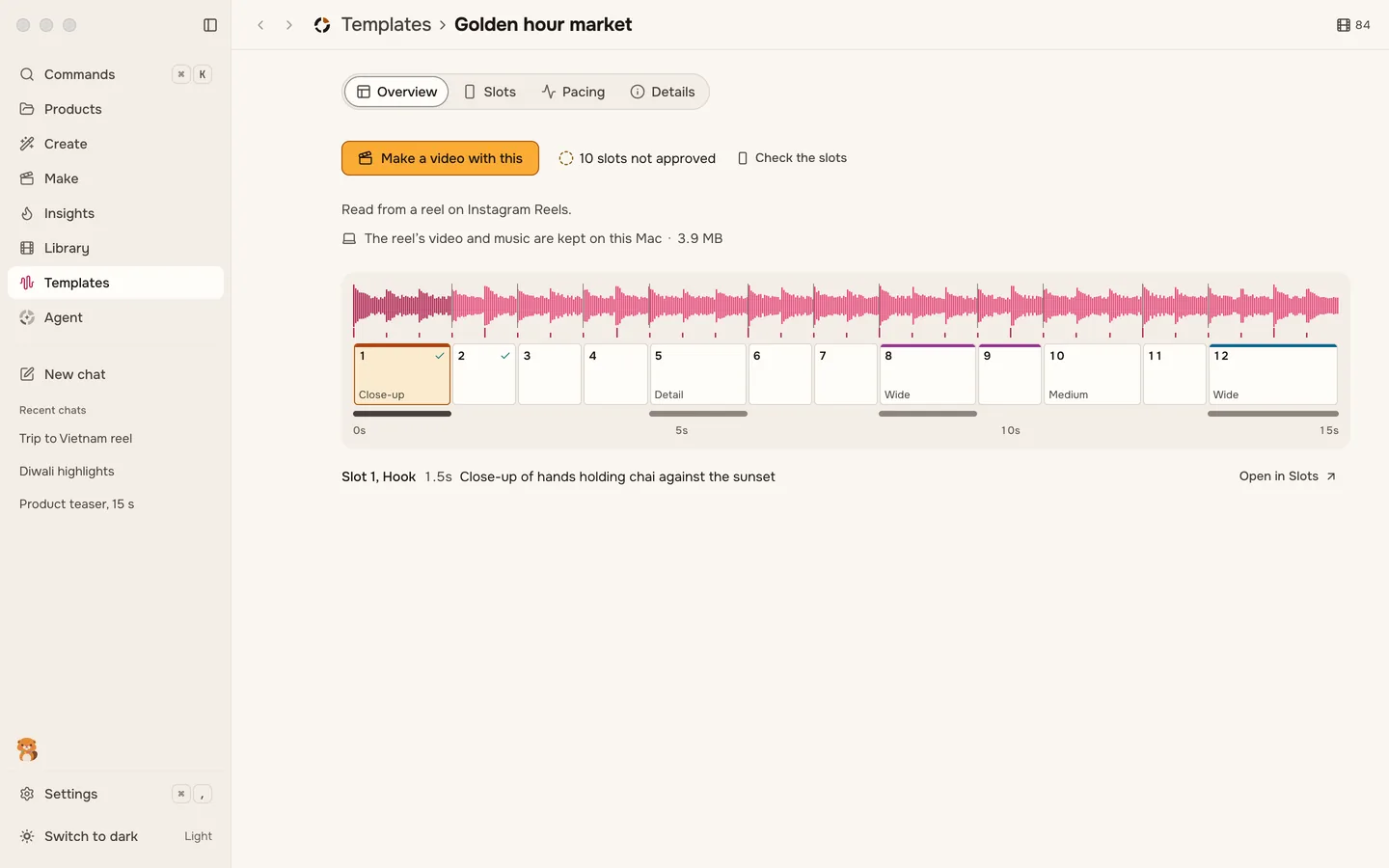
Taalcut template screen: a reel shown as a waveform with beat marks and numbered slots, with sample media
Taalcut template screen: a reel shown as a waveform with beat marks and numbered slots, with sample mediaFull image ↗

Watch Taalcut

Zero posts

Taalcut · Launch film · 1:41 · narrated

↗
Read film description
  1. The film opens on a phone’s camera roll from ten days in Vietnam while a counter of clips climbs past twelve hundred. The number of posts stays at zero.
  2. A saved travel reel plays on a phone. Then a miniature city stuck in traffic stands in for the working week that leaves no evening to copy it.
  3. Taalcut is named, and the reel is read into its cuts, music beats and on-screen text, a template to keep. Clips fly in from a phone, cameras and a memory card, and each slot gets the clip that fits. The finished version is checked beside the saved reel.
  4. More uses follow: a short found inside a long video, a cut made on the beat of a trending sound, a launch video made from a website and a brief, and posts scheduled after approval.
  5. A cost comparison sets a full-time video editor beside Taalcut running on your own computer, or with a cloud AI account you bring.
  6. The count of clips returns, now with one reel posted, and the film closes on the Taalcut logo and the line “Every reel you save becomes one you can make.” The film is narrated, and its captions follow the narration. It was published before the app’s first release. Its last card asks viewers to sign up for that release at taalcut.app, and the app has since been released. The trip footage is the maker’s own; the app screens, names and schedules shown are demonstration scenarios.

Features

A reel becomes a template

Paste a link to a reel you saved, or drop in the video file. Taalcut reads its cuts, music beats, on-screen text and pacing, and keeps them as a template you can fill again.

Clips picked from your camera roll

Each slot of the template says what it needs. Taalcut searches the footage it indexed on your Mac, picks a clip for each slot and shows how sure it is, with other shots to swap in.

A cut you can keep changing

The video opens on a timeline. Change it by hand or by asking in the chat, and undo covers every edit, the agent's included.

Your choice of AI

Taalcut downloads and runs its own models on your Mac. You can add a ChatGPT plan, an API key from a provider you choose, or a model server you already run.

The Mac app

Taalcut 0.1.0 is a disk image from GitHub Releases and taalcut.app, Developer ID-signed and notarized by Apple. It needs macOS 14 or later on Apple silicon.

Open source

The code is public on GitHub under AGPL-3.0-or-later, with the releases and their checksums beside it.

Questions

What does Taalcut need to run?

macOS 14 or later on Apple silicon. There is no Windows or Ubuntu download yet.

Does my footage leave my Mac?

Indexing, search, reading the text in a video and finding music beats run on your Mac. If you connect a cloud model, Taalcut asks before it first sends your files to it, and its privacy settings list what leaves your Mac. Update checks send the app's version and a random ID.

Does Taalcut need an AI subscription?

No. Taalcut downloads and runs its own models on your Mac. A ChatGPT plan or an API key adds cloud models.

How is Taalcut distributed?

As a disk image from GitHub Releases and taalcut.app. The app is Developer ID-signed and notarized by Apple, so it opens the ordinary way.

Is Taalcut open source?

Yes, under AGPL-3.0-or-later. The code and the releases are on GitHub.

Privacy

Your clips are indexed and searched on your Mac. A cloud model receives files only after you connect one and agree to it, and the app checks for updates online.

Privacy policy

Other products

  • Desktop effects that follow your lid, and live wallpapers with something going on.

  • Rent receipts, fuel bills and salary slips, generated in seconds.

  • Live CPU, battery, memory and network telemetry from the device itself.